
How to Maximize Your Day Using Only 3 Apps – Boost Productivity Like a Pro
Jump to: Step 1: Todoist | Step 2: Forest | Step 3: Notion | Daily Routine | Tips | Conclusion
Do you ever feel like there aren’t enough hours in the day? You wake up with good intentions, a long to-do list, and yet, by evening, you feel exhausted and unaccomplished.
The modern world is full of distractions, endless notifications, and scattered tools. But there’s a simple system to take control of your day: just three apps. With the right approach, you can plan, focus, and organize like a productivity pro.
Whether you’re a student, freelancer, professional, or entrepreneur, these tools are evergreen solutions to a problem we all face: time management and productivity.
Step 1: Plan Like a Pro with Todoist
Todoist is more than a to-do list—it’s your digital planning assistant.
Why Todoist?
- Works across mobile, desktop, and web
- Prioritize tasks with labels and colors
- Set recurring reminders
- Integrates with tools like Google Calendar, Slack, Notion
How to Use Todoist Effectively
- Morning Planning (or Night Before):
- List all tasks for the day
- Assign priorities: P1 (must-do), P2 (important), P3 (optional)
- Break large tasks into actionable sub-tasks
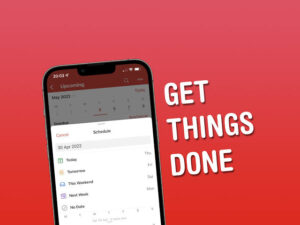
- Use the “Today” View:
Focus only on what needs attention right now - End-of-Day Review:
- Check off completed tasks
- Move unfinished tasks to tomorrow
- Reflect and adjust priorities
Pro Tip: Use Todoist Karma to track your productivity streaks.
💡 CTA: Start planning smarter today! Visit my Facebook page for daily productivity tips.
Step 2: Stay Focused with Forest
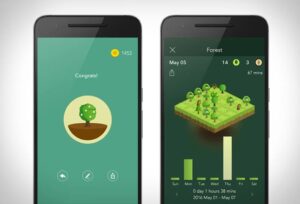
Even the best plans fail without focus. Forest turns focus into a game.
Why Forest?
- Pomodoro-style focus blocks
- Stay off your phone
- Grow a virtual forest as a reward for focus
How to Use Forest
- Start a focus session (25–50 minutes)
- Focus only on your task
- Take short breaks between sessions
- Track progress and celebrate streaks
Pro Tip: Combine Forest with Todoist for deep, uninterrupted work sessions.
💡 CTA: Follow my LinkedIn newsletter for weekly insights on focus and productivity.
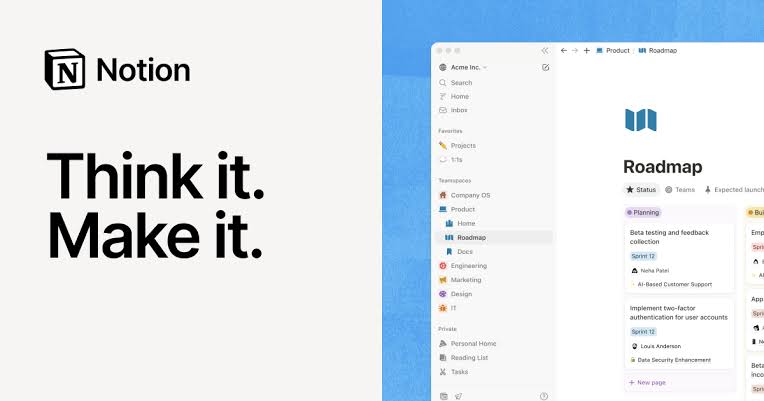
Step 3: Organize Your Mind with Notion
Random thoughts and tasks can clutter your mind. Notion is your all-in-one brain organizer.
Why Notion?
- Notes, projects, and databases in one place
- Access from any device
- Templates for daily routines, dashboards, and journals
How to Use Notion Daily
- Brain Dump: Capture ideas and tasks immediately
- Organize Projects: Move tasks into structured pages
- Daily Review: Update tasks and plan for tomorrow
Pro Tip: Use a Daily Productivity Dashboard to combine Todoist tasks, Forest logs, and notes.
💡 CTA: Join my Facebook community for Notion templates and productivity hacks.
Step-by-Step Daily Routine
Morning (10–15 min):
- Finalize tasks in Todoist
- Set top 3 priorities
Morning Work Block (25–50 min):
- Focus on top Todoist tasks using Forest
Midday Brain Dump:
- Capture ideas in Notion
Afternoon Work Block:
- Continue Forest sessions
- Check Todoist updates
Evening Reflection (10–15 min):
- Review completed tasks in Todoist
- Update Notion and prepare tomorrow
- Celebrate Forest streaks
💡 CTA: Subscribe to my LinkedIn newsletter for weekly step-by-step productivity guides.
Extra Tips for Maximum Productivity
- Stick to 3 apps only
- Use notification-free work blocks
- Morning and evening reflection
- Consistency beats intensity
💡 CTA: Share your progress on my Facebook page and connect with a like-minded community.
Conclusion
Maximizing your day doesn’t have to be complicated. With Todoist for planning, Forest for focus, and Notion for organizing your mind, you can reclaim your time, reduce stress, and accomplish more than ever.
Start today: implement this system for a week, and notice the transformation. Stop juggling dozens of apps and start working smarter, not harder.
💡 CTA: Download the apps today, and join my LinkedIn newsletter and Facebook page for exclusive tips, hacks, and community support.
About the Author